

Learn how framer templates can cut your project time by 50%—helping you deliver consistent, high-quality work.
Efficiency and creativity are key in the world of web design. Templates offered by Framer provide a powerful way to accelerate your design process without compromising on quality. Whether you’re a seasoned designer or a newcomer to Framer, templates can help you quickly prototype, iterate, and refine your projects. This piece covers all things Framer templates, including how to use them, where to find the best ones, and why they are an essential tool for modern web designers.
By September 2021, Framer, recognized for its robust prototyping features, had amassed over one million users.– Artificial Intelligence Design Tool Statistics & Trends in 2023

What Are Framer Templates?
At their core, Framer’s templates are pre-designed layouts and components that provide a solid foundation for your design projects. Rather than starting from scratch, these templates allow you to begin with a functional framework that can be customized to suit your project’s needs. They come in a variety of styles, from simple wireframes to complex, interactive designs. The beauty of using templates lies in their flexibility—they offer a starting point that speeds up the process but can be tailored to fit any specific design vision.
“Framer offered 870 new templates in the year 2023.” – Framer: 2023 Year in Review
Benefits of Using Framer Templates
Here’s why using Framer’s design templates is so beneficial:
Speed: Templates allow you to start your project with a fully designed layout, saving you hours of work.
Time-saving: Templates provide a pre-built structure, reducing the time spent on initial design setup.
Consistency: Templates ensure that your design elements are consistent across your project, leading to a more professional final product.
Ease of Use: Framer’s intuitive interface makes it easy to customize templates, even if you’re new to the platform.
Customization: Framer makes it easy to customize every aspect of the template, giving you the freedom to make it your own.
Cost-Effectiveness: Many high-quality templates are available for free or at a low cost, making professional design accessible to everyone.
Efficiency: With the groundwork laid out, you can focus on refining specific details, rather than starting from zero.
Inspiration: Templates can serve as a source of inspiration, helping you explore new design ideas and techniques.
How to Use Framer Templates | Step-by-Step Guide
Step 1: Choosing the Right Template
The first step in using the templates is finding the one that fits your project’s goals. Framer offers a rich library of templates designed by the community and professionals. Depending on your needs, you can select templates for landing pages, portfolios, mobile apps, or more interactive prototypes.
Step 2: Customizing the Template
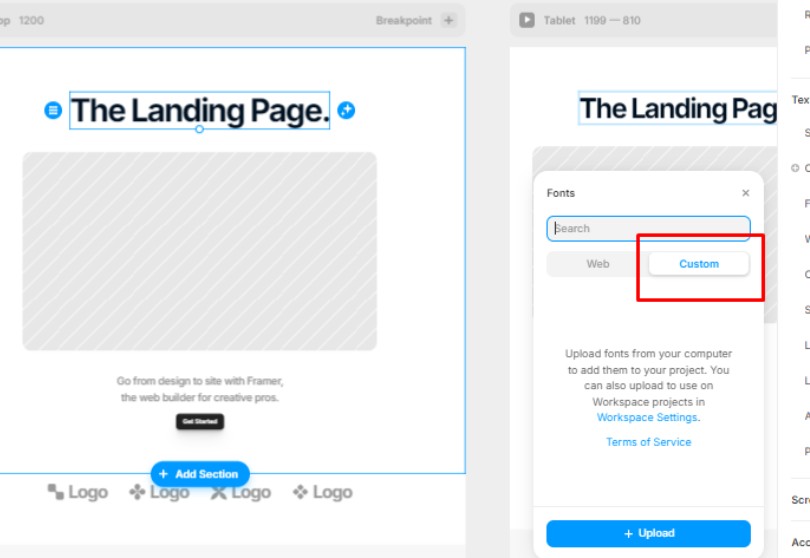
Once you’ve selected the template, it’s time to customize. In Framer, you can easily modify every part of the template, from the structure and layout to colors, fonts, and interactions. This ensures your project aligns with your brand identity and design preferences. Adjust interactive elements, add animations, and create the design you envision.
Step 3: Integrating the Template into Your Project
Now that your template is customized, it’s ready to be integrated into your project. With Framer’s drag-and-drop interface, you can easily add new components, pages, or frames. Templates act as the foundation of your project, but you can build upon them with additional features and content to make your design truly unique.
Where to Find the Best Framer Templates
Here are some trusted sources where you can find high-quality templates by Framer:
Framer’s Official Template Library: This is the best place to start. Framer offers a collection of templates directly within the platform, ensuring that you have access to professional-grade designs.
Third-Party Marketplaces: Websites like Figma Community and TemplateMonster offer templates that can be imported into Framer. This extends your options and gives you access to templates from a broader range of designers.
Freelance Designers and Marketplaces: Platforms like Gumroad and Creative Market host custom-made templates from individual designers. These templates are often more niche and specialized for specific industries or design aesthetics.
GitHub Repositories: For those who prefer open-source solutions, GitHub hosts numerous repositories where designers share the templates for free.
Tips to Get the Most Out of These Templates
To maximize the benefits of using Framer’s design templates, consider the following tips:
Start Simple: If you’re new to Framer, start with a basic template and gradually work your way up to more complex designs.
Focus on Customization: Templates are a great starting point, but your design should ultimately reflect your vision. Don’t shy away from making extensive changes—Framer allows you to customize every detail.
Combine Multiple Templates: For larger projects, consider combining elements from multiple templates to create a more comprehensive design.
Test Responsiveness: Ensure that the template design looks good on all screen sizes, especially if you’re designing for multiple devices.
Keep Up with Trends: Regularly update your templates to incorporate the latest design trends and technologies, ensuring your projects remain modern and relevant.
Leverage Community Resources: Engage with the Framer community to discover new templates, get feedback, and share your own creations.
Framer Templates vs. Designing From Scratch
While some designers prefer starting from scratch, Framer’s design templates offer several distinct advantages:
Faster Setup: A template eliminates the need for repetitive design tasks, allowing you to jump straight into customization and refinement.
Guidance for Beginners: For those new to design, templates provide a structure to follow, ensuring that important design principles like layout and spacing are already in place.
Reusable Components: Templates often come with reusable components, making it easier to maintain consistency throughout your project.
In comparison, designing from scratch may allow for more creative freedom, but it can also be time-consuming and prone to inconsistency if you’re not careful.
Expert Opinions
Many experts in the design industry emphasize the usefulness of templates for boosting productivity. Renowned UX designer Luke Wroblewski noted, “Using templates in design not only speeds up the process but ensures consistency and quality across different parts of a project. With templates by Framer, this is particularly true as they offer extensive flexibility in customization.”
User Testimonials
Designers from all over have experienced the benefits of using these templates. Sarah, a UI designer at a San Francisco-based startup, said, “When deadlines are tight, I turn to Framer templates. They save me hours of work while still allowing me to create something unique and tailored to my client’s needs.”
Another user, James, shared, “Starting with a Framer template makes the whole design process so much smoother. I can focus on the creative aspects instead of worrying about basic setup.”
Related Features | Extending Your Template Designs
These templates are just the start. To take your designs even further, you can leverage other powerful features in Framer:
Framer Motion: Add dynamic animations and transitions to bring your designs to life.
Framer X: Explore the advanced prototyping capabilities that Framer X offers, which can be integrated with templates for more complex projects.
Interactive Prototyping: Framer allows you to build fully interactive prototypes, complete with clickable components, drag-and-drop functionality, and more.
Collaboration Tools: Framer’s team collaboration features make it easy for multiple designers to work together on a template-based project in real time.
Component Libraries: Utilize pre-built components to extend the functionality of your templates, making your designs even more robust and interactive.
Integrations: Framer seamlessly integrates with other design tools like Sketch and Adobe XD, allowing you to import and export templates effortlessly.
In 2020, a Design Week global report (in partnership with Framer) found that 99% of senior design professionals across 16 different industries agreed that prototyping was more important than ever.”
– A Design Week report: State of Prototyping 2020
Final Thoughts
Incorporating Framer templates into your design process is a game-changer for both speed and quality. Whether you’re working on a simple landing page or a complex interactive prototype, templates provide a solid foundation that can be adapted to meet your specific needs. The flexibility, time-saving capabilities, and ease of customization make these templates an essential tool for modern web designers. So why wait? Explore the world of Framer’s amazing design templates and streamline your design process today.